Setting up a personal ethical hacking lab is one of the best ways for students and cybersecurity professionals to learn penetration testing safely. In this tutorial, we will build a complete penetration testing lab using VirtualBox, where Kali Linux acts as the attacker machine and Metasploitable 2 acts as the vulnerable target.
This lab is completely offline, isolated, and suitable for academic and self-learning purposes.
Table of Contents
Why Use VirtualBox for an Ethical Hacking Lab?
Oracle VirtualBox is a free and widely used virtualization platform that allows you to run multiple operating systems on a single computer. It is ideal for cybersecurity labs because:
- It is free and open-source
- It runs on Windows, Linux, and macOS
- It supports isolated networking (Host-Only mode)
- It is beginner-friendly for students
Lab Overview
- Host OS: Windows
- Virtualization Tool: Oracle VirtualBox
- Attacker Machine: Kali Linux
- Target Machine: Metasploitable 2
- Network Mode: Host-Only (isolated lab)
Important Ethical and Safety Notice
⚠️ Metasploitable 2 is intentionally vulnerable.
- Never connect it to the internet
- Never use it on a production network
- Always use Host-Only networking
- Use this lab only for learning and ethical purposes
Step 1: Install Oracle VirtualBox on Windows
Download VirtualBox
- Open your web browser.
- Visit the official Oracle VirtualBox website.
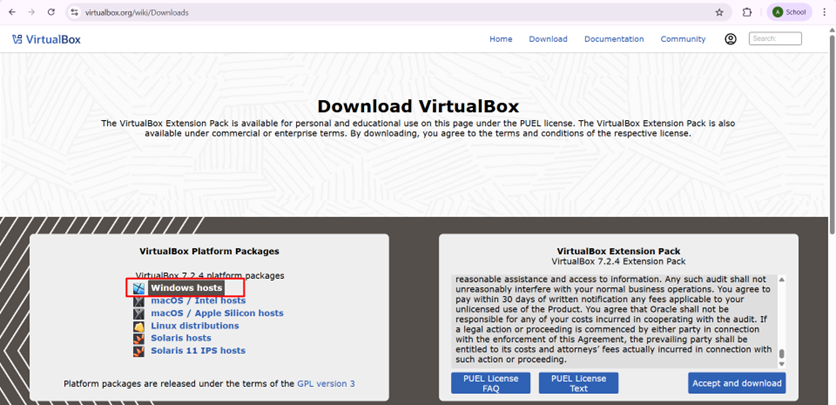
- Download VirtualBox for Windows hosts.
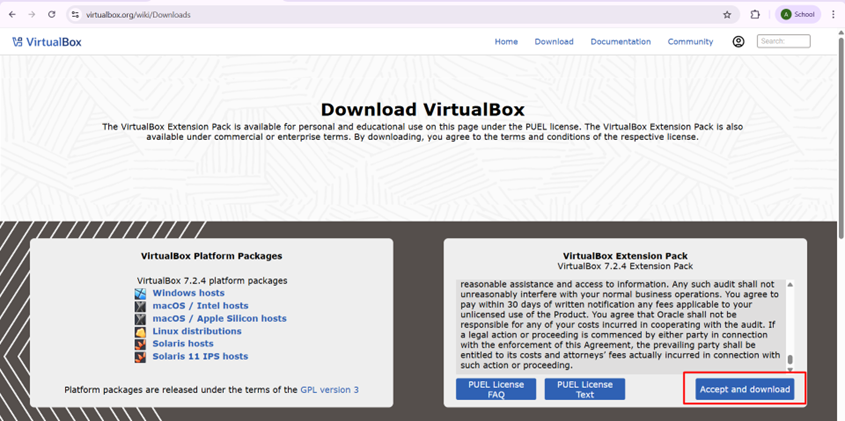
- Also download the VirtualBox Extension Pack (same version).
Install VirtualBox
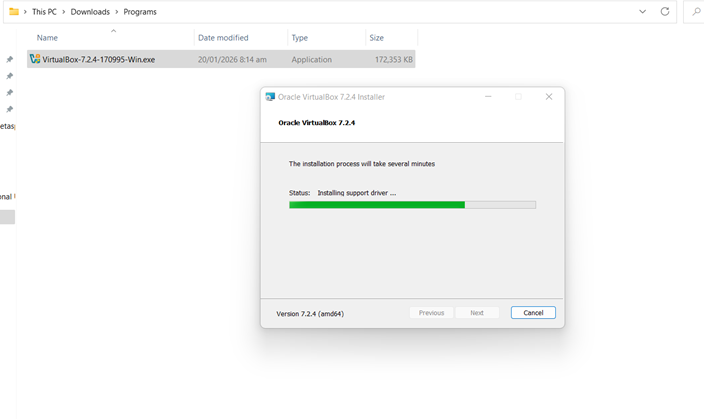
- Run the downloaded installer.
- Click Next and keep default settings.
- Accept all prompts and network warnings.
- Complete the installation.
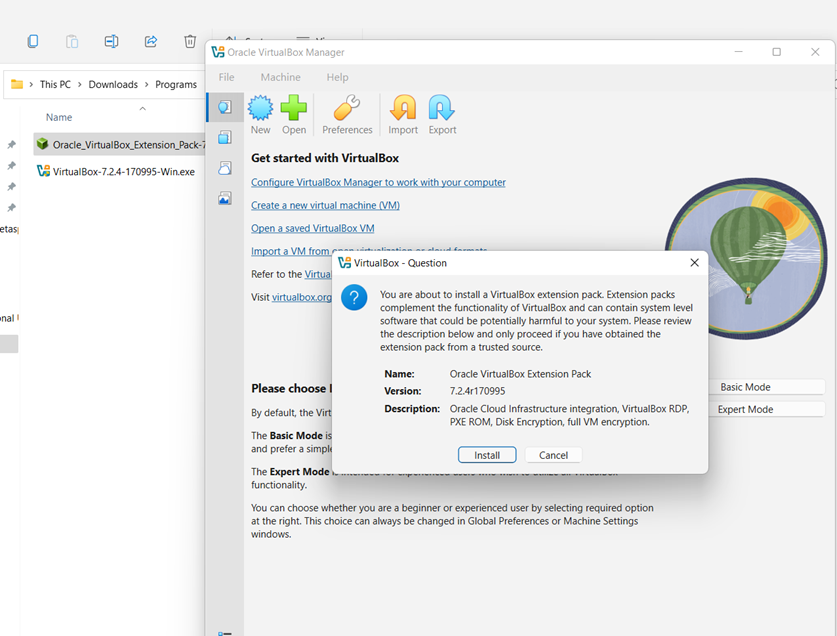
Install the Extension Pack
- Double-click the Extension Pack file.
- VirtualBox will open automatically.
- Click Install and accept the license.
Step 2: Install Kali Linux (Attacker Machine)
Kali Linux is a penetration testing distribution that comes preloaded with hundreds of security tools such as Nmap, Metasploit, Burp Suite, and more.
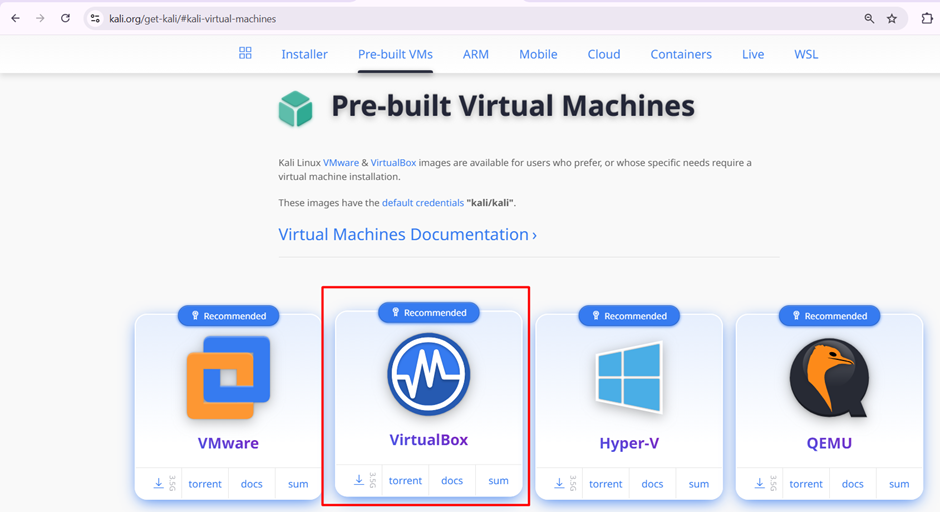
Download Kali Linux VirtualBox Image
- Visit the official Kali Linux website.
- Download the Kali Linux VirtualBox Image.
- Extract the downloaded archive.

Import Kali Linux into VirtualBox
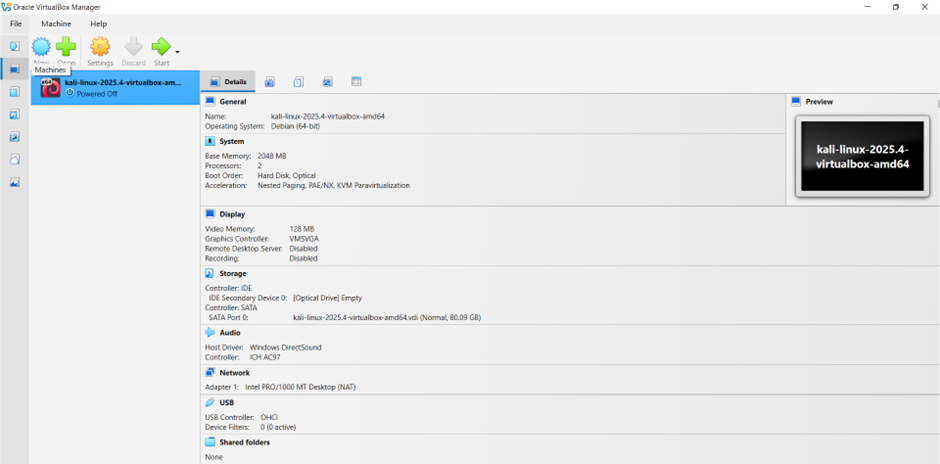
- Open Oracle VirtualBox.
- Click File → open VM.
- Browse to the extracted Kali Linux.
- Click Next, then Import.
- Wait for the import process to complete.
Configure Kali Linux Network
- Select Kali Linux VM.
- Click Settings → Network.
- Set:
- Adapter 1: NAT
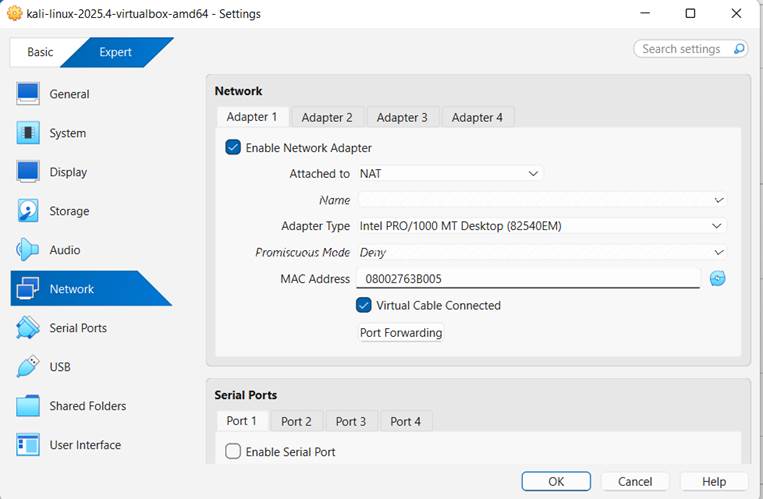
Adapter 2: Host only
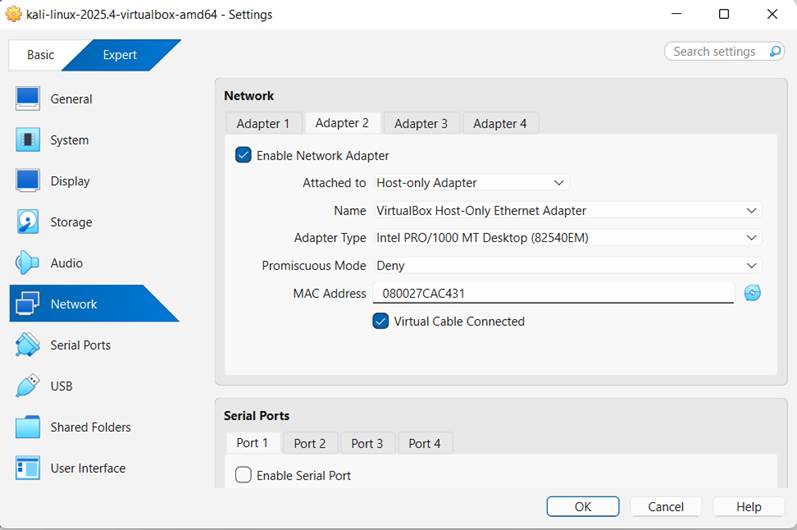
- Click OK
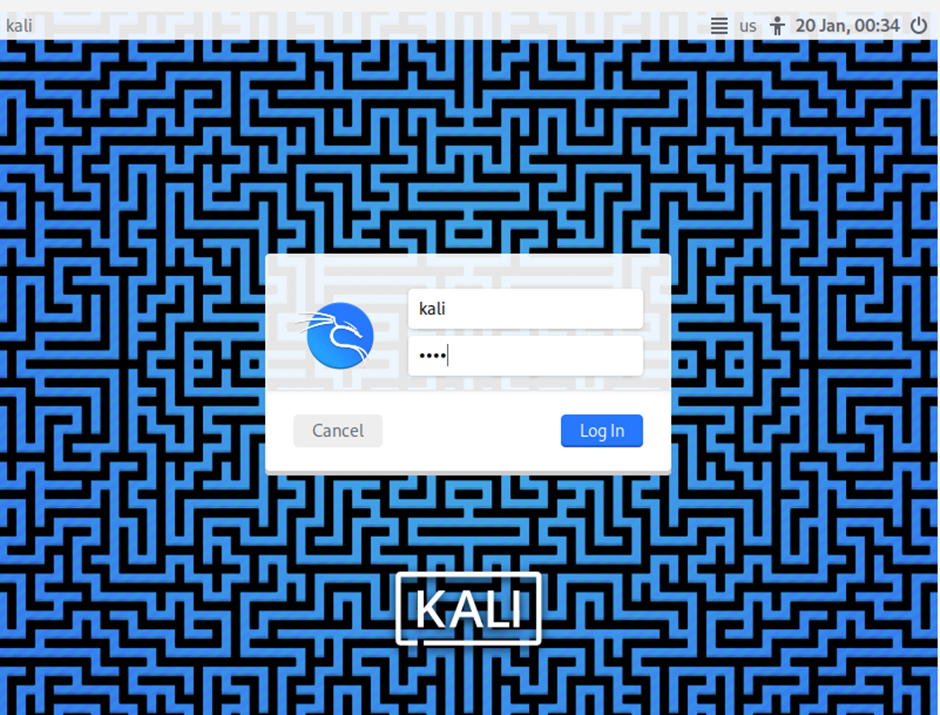
Start Kali Linux
- Username:
kali - Password:
kali
Step 3: Install Metasploitable 2 (Target Machine)
Metasploitable 2 is a deliberately vulnerable Linux machine designed for practicing exploitation techniques.
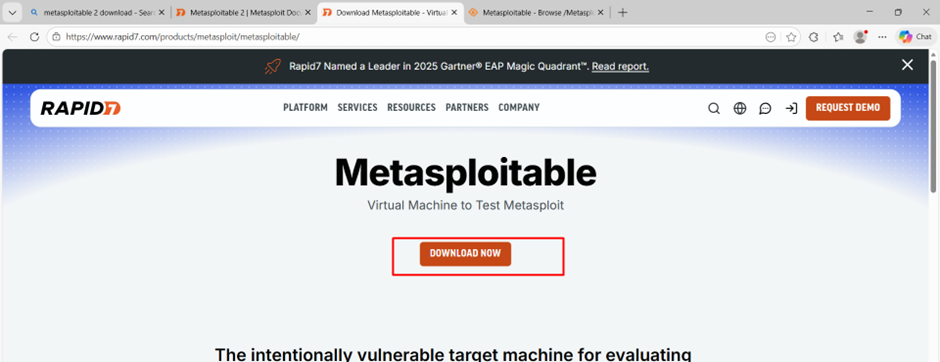
Download Metasploitable 2
- Download Metasploitable 2.
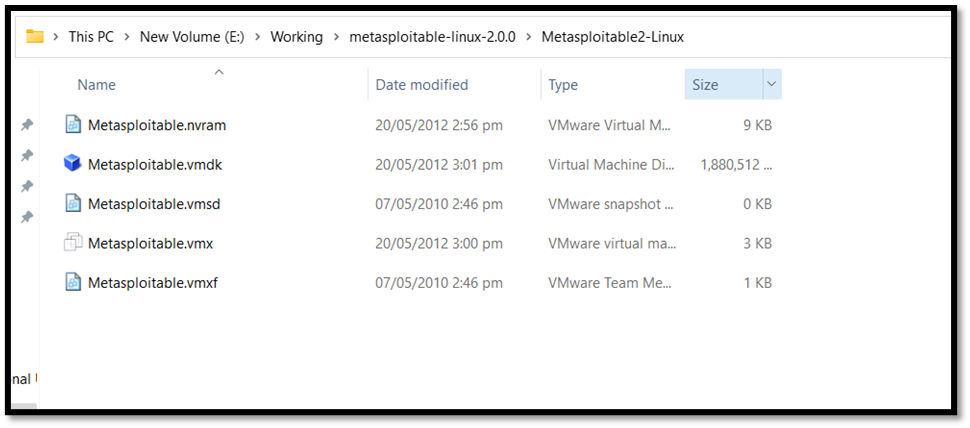
- Extract the files to a folder.
Import Metasploitable 2 into VirtualBox
- Open VirtualBox and click on “New”.
- Name the VM (e.g., “Metasploitable”).
- Set the Type to “Linux” and Version to “Other Linux”.
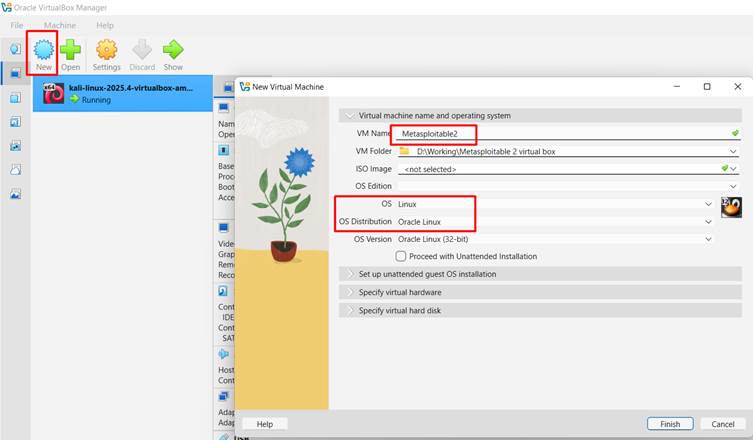
- Allocate at least 512 MB of RAM (Default).
- Under the specify virtual hard disk option, choose “Use an existing virtual hard disk file” and select the extracted .vmdk file by browsing the file manager.
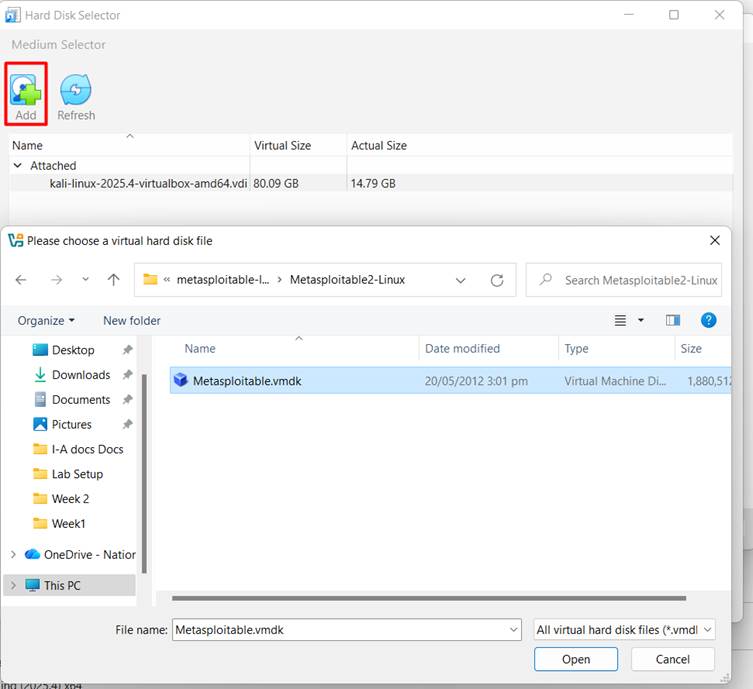
- Finish the setup.
This process sets up the VM using the provided virtual disk.
Configure Metasploitable Network
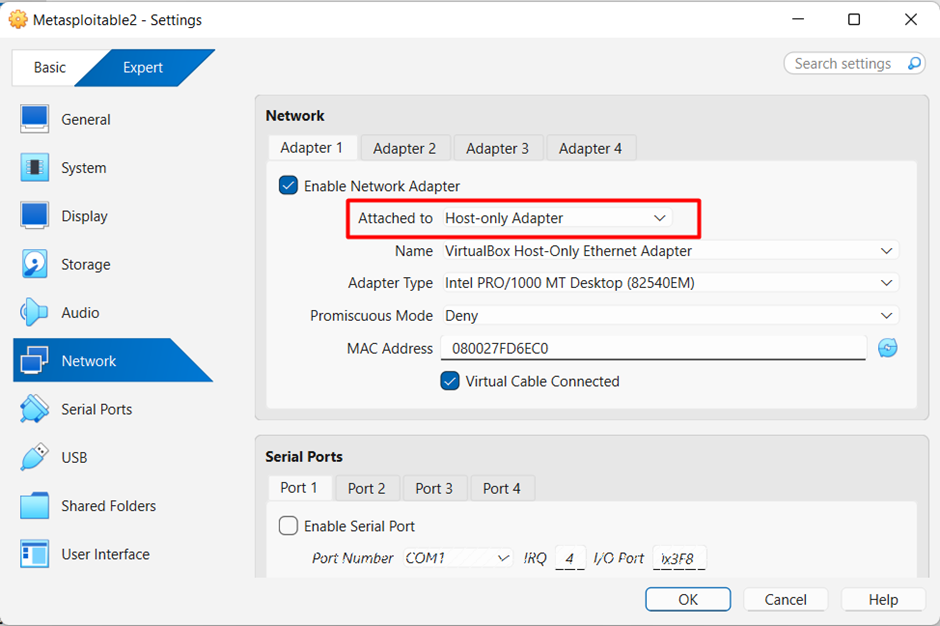
- Open Metasploitable VM settings.
- Go to Network.
- Set Adapter 1 to Host-Only Adapter.
- Save changes.
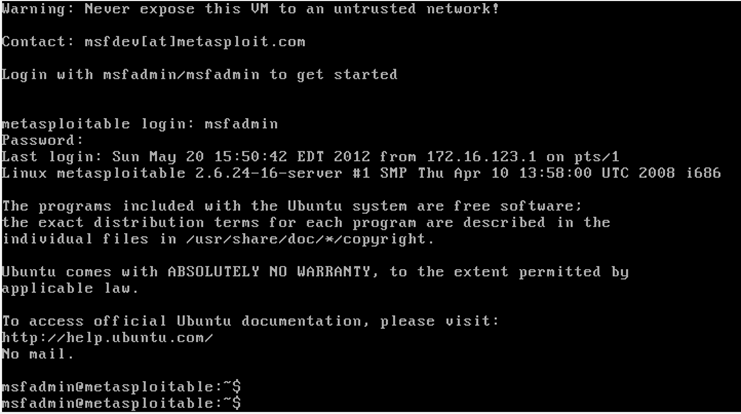
Start Metasploitable 2
- Username:
msfadmin - Password:
msfadmin
Step 4: Verify Lab Connectivity
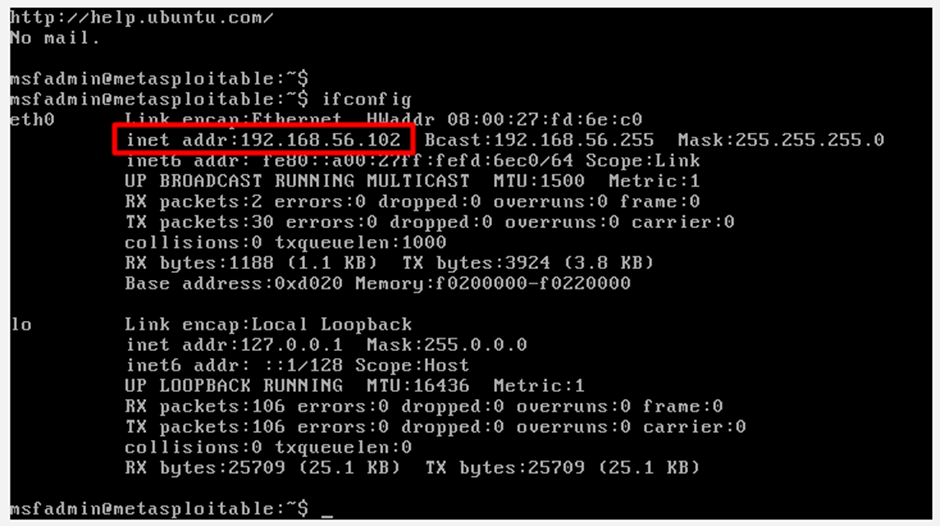
Find Metasploitable IP Address
Inside Metasploitable, run:
ifconfig
Note the IP address (example: 192.168.56.102).
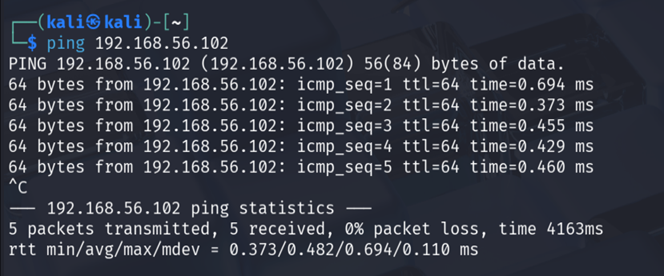
Ping Metasploitable from Kali
From Kali terminal:
ping <Metasploitable-IP>
Successful replies confirm connectivity.
Perform a Basic Nmap Scan
nmap -sV <Metasploitable-IP>
You should see multiple open ports and vulnerable services.
Your Ethical Hacking Lab Is Ready 🎯
At this point, you have successfully created a fully functional penetration testing lab using:
- VirtualBox
- Kali Linux
- Metasploitable 2
This setup can now be used for:
- Network scanning
- Service enumeration
- Exploitation practice
- Metasploit labs
- CTF preparation
FAQ
Why is Host-Only networking used in an ethical hacking lab?
Host-Only networking isolates the virtual machines from the internet and the physical network. This ensures that vulnerable systems like Metasploitable are accessible only to the attacker VM (Kali Linux) and the host machine, making the lab safe for ethical hacking practice.
Q2. What is the role of Kali Linux in this lab setup?
Kali Linux acts as the attacker machine. It contains pre-installed penetration testing tools such as Nmap, Metasploit, and Netcat, which are used to scan, enumerate, and exploit vulnerabilities in the target system.
Q3. Why is Metasploitable 2 used as the target machine?
Metasploitable 2 is intentionally vulnerable and includes outdated and misconfigured services. It is designed specifically for learning exploitation techniques in a controlled environment without harming real systems.
Q4. What should be done if Kali Linux cannot communicate with Metasploitable?
If communication fails, verify that both virtual machines are using the same Host-Only network adapter, ensure both machines are powered on, and confirm the IP address of Metasploitable using the ifconfig command.